Multi-File Comparison
Load multiple waveform files in one session and compare signals across regression runs, design variants, or separate parts of the system.
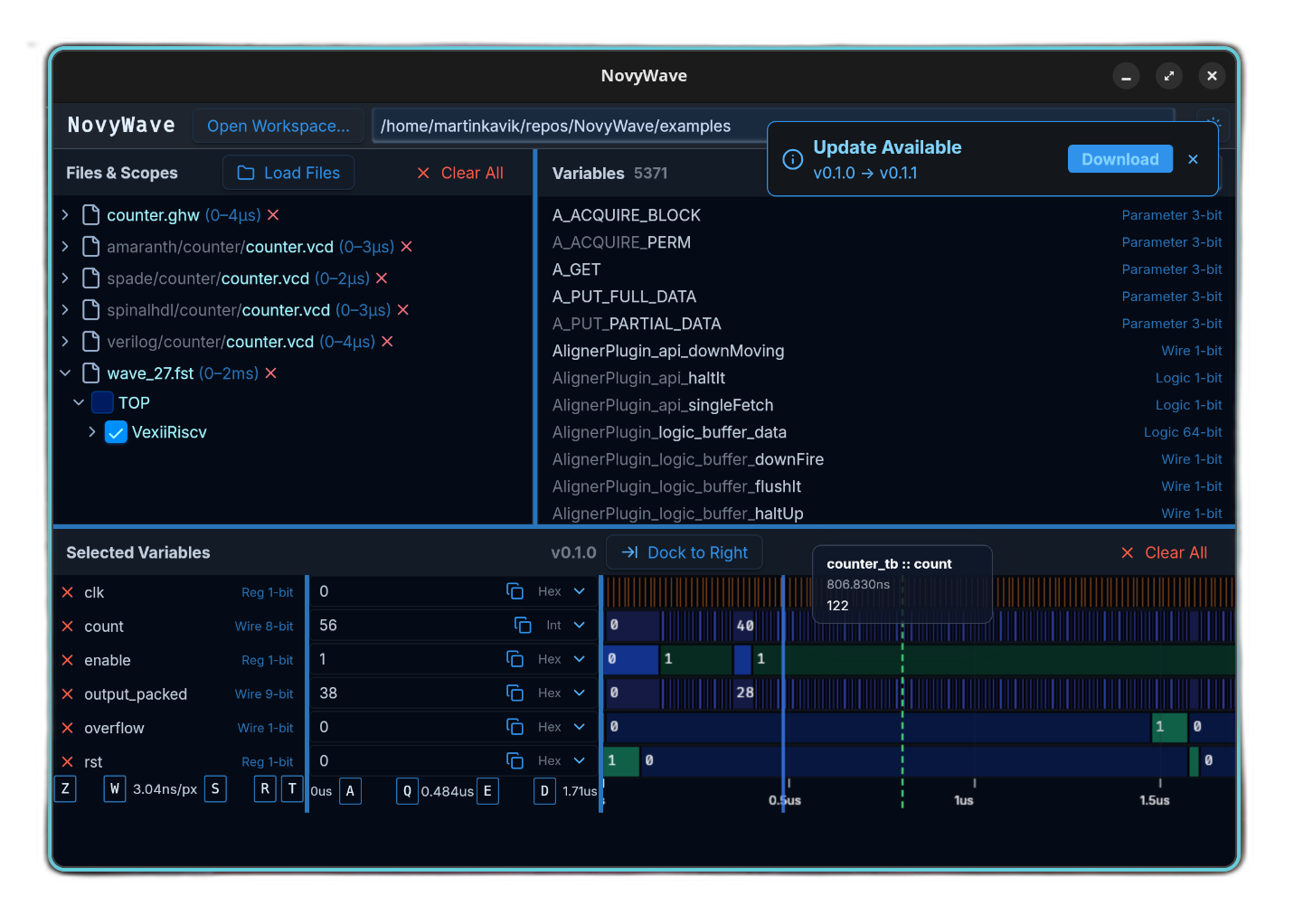
Multi-File Comparison
Load multiple waveform files in one session and compare signals across regression runs, design variants, or separate parts of the system.
Analog Signals
Real-valued signals are automatically rendered as continuous waveform traces with auto-scaling — no manual format switching needed.
WASD Navigation
WASD-style controls make zooming and panning fast, with built-in shortcuts for cursor movement and jumping between signal transitions.
Desktop First
Native apps for Linux, macOS, and Windows are the main path. There is also a browser mode when running NovyWave locally or on another machine.
WebAssembly Plugins
Live-reload waveforms and auto-discover new dump files with built-in plugins — or build your own.
Signal Groups
Organize selected signals into named, collapsible groups.
Named Markers
Add labeled bookmarks on the timeline. Press M to create, 1-9 to jump.
Chrome Launcher
A lightweight alternative that opens NovyWave in Chrome’s app mode — no WebKitGTK needed.
Row Resizing
Drag dividers between signal rows to customize display height.
Whether you are debugging a counter that refuses to count, comparing regression runs across design variants, or just getting started with digital logic — NovyWave is built to make waveform inspection faster and more intuitive.
This project is funded through NGI Zero Core, a fund established by NLnet with financial support from the European Commission’s Next Generation Internet program. Learn more at the NLnet project page.
NovyWave is open source software, released under the MIT License.